
MT Manager is a perfect application for anyone who wants absolute control over their Android phone. This app is not just an ordinary file manager but a versatile toolkit that combines data management, code editors, and professional APK modding tools. The point that will impress you the most is its ability to smoothly handle system tasks right on your phone without needing a computer, helping to save time and significantly increase work efficiency.
Contents
Deep APK Editing: A Mobile Studio for Modders
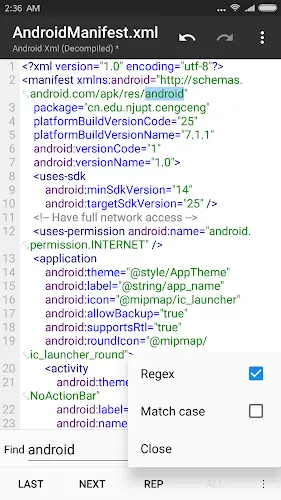
The biggest strength and also the most valuable feature of MT Manager is its deep APK editing capability. Millions of people have performed decompile (decoding) and recompile (packaging) tasks right on their devices, and the results are extremely impressive.
- Source Code Intervention: You can directly edit XML, Java, and especially smali code files.
- Interface Customization: Changing image resources, text, or localizing applications becomes easier than ever.
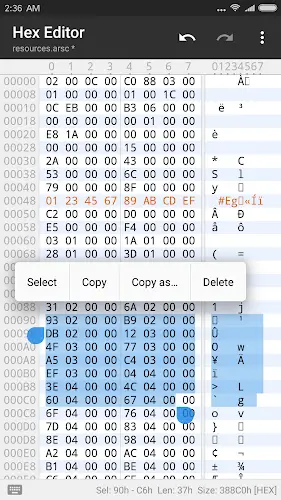
- Text & Hex Editor: The editor comes with built-in syntax highlighting for XML and code, along with a Hex Editor to intervene in data at a low level, helping fix errors or change resources precisely down to every single line of code.
Advanced File Management and Absolute Root Permissions
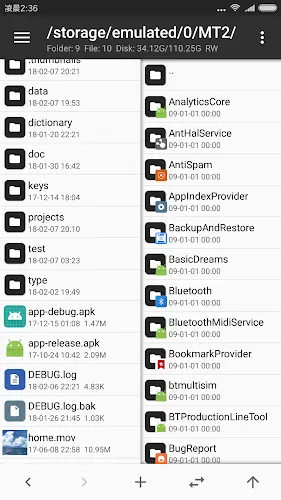
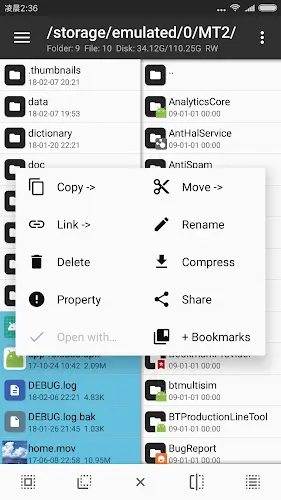
Not stopping at app editing, MT Manager is also a top-tier file manager. With the dual window interface in the Pro version, copying, moving, or renaming between folders happens in a flash.
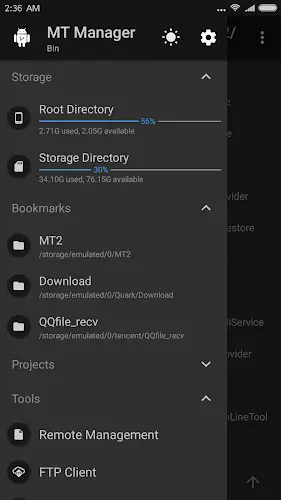
- System Access: If your device is Rooted, MT Manager opens the door directly into the root directory. You can change file permissions, file ownership, or directly edit system applications to optimize your device.
- Archive Management: The application supports ZIP, RAR, and TAR formats extremely well. You will love how the app allows you to delete, rename, or move files right inside a compressed file without needing to extract them first.
Integrated Utilities and Automation Capabilities
MT Manager truly understands advanced users by integrating a Plugin and Scripting system. You can create scripts to automate repetitive tasks, making a developer’s work much more relaxed. Additionally, the included utilities are very practical:
- Media Preview: View photos, listen to music, and watch videos directly without leaving the app.
- Multi-Device Connectivity: Centrally manage data from many different storage sources.
- Font Customization: Support for changing multiple fonts when editing text content, creating the most comfortable feeling when working for long periods.
Choosing Your Version: Pro, VIP, or MOD?
Depending on your needs, you can choose the suitable version. While the free version is sufficient for basic tasks, the MT Manager Pro and VIP versions are a paradise with full premium tools such as automatic app translation and deep system resource customization. Currently, many people look for the Mod APK version to experience VIP features and remove ads, however, we always advise you to be cautious of security risks from untrusted sources. Furthermore, if you are using an older device, older versions of MT Manager remain a great choice due to their lightweight nature and high compatibility, even though they lack some newer features like advanced smali editing or the modern interface.
Conclusion
MT Manager is a comprehensive tool that provides the most powerful Android device control you will ever experience. From tidy file management to complex technical operations like editing APK source code, this app performs every task excellently. This is the indispensable “weapon” for you to fully master the digital space on your phone.