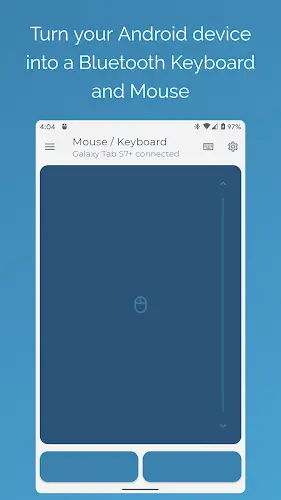

The need to carry both a keyboard and a mouse when working or giving presentations is no longer an issue thanks to the Bluetooth Keyboard & Mouse app. This tool completely changes how you interact with your daily tech devices by turning your smartphone or tablet into a versatile wireless controller for computers and many other devices. What you will love about this app is its ability to connect directly via Bluetooth without needing to install any cumbersome server software on the receiving device. Simply open the app and everything is ready to use, providing wonderful flexibility for both work and entertainment.
Contents
Optimized Bluetooth Connection and Absolute Security
The connection experience of the app truly exceeds expectations thanks to its fast and simple setup capability. All operations are optimized to minimize latency, ensuring the mouse cursor moves smoothly and responds instantly to every touch. Furthermore, because the connection is entirely internal via Bluetooth without going through external servers, you always feel absolutely secure about your personal data privacy throughout the usage process. Whether you are controlling your personal computer or other smart devices, the stability of this connection is always a solid foundation for every work session to proceed smoothly.
Smart Keyboard and Mouse Right at Your Fingertips
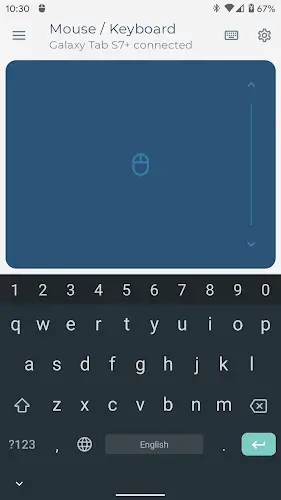
The app does not just act as a touch mouse but also functions as a full featured wireless keyboard. Typing text from your phone to your computer becomes faster than ever, especially with support for over 100 languages and international keyboard layouts. If you frequently work on a computer, your phone screen will transform into an extremely sensitive multi touch trackpad. You can easily move the cursor, scroll through pages, or navigate using natural gestures, making it a perfect replacement for bulky physical mice in urgent situations or when you are on the move.
Enhanced Productivity with Professional Tools
To best serve your work needs, Bluetooth Keyboard & Mouse is equipped with professional modes such as Presenter Mode, which helps you confidently control presentations and switch slides remotely without standing near the computer. In addition, a dedicated Numpad supports effective data entry for accounting or programming, while the Keep Alive or Jiggler mode is a true lifesaver to prevent your computer from falling asleep or locking its screen during long meetings. All productivity tools are neatly integrated to help optimize your workspace without needing to purchase expensive additional accessories.
Entertainment Utilities and Top Tier Customization
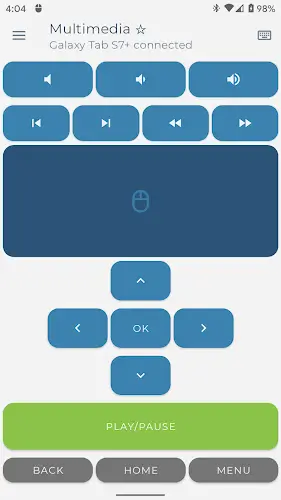
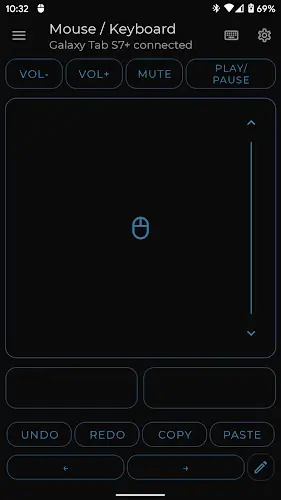
When it is time for entertainment, you should take advantage of the multimedia control features to easily adjust volume, skip songs, or navigate streaming playlists. The app also brings many smart features such as Clipboard synchronization to send text between your phone and computer, voice to text input, and an integrated QR or Barcode scanner for quick data entry. You can fully customize the interface by changing colors or rearranging the control layout according to your personal preferences. With wide compatibility ranging from Windows, iOS, and Android to Android TV, ChromeOS, and Steam Deck, this is definitely the most flexible remote control solution that any tech user should own to improve convenience and flexibility in daily life.
Conclusion
Bluetooth Keyboard & Mouse is truly a breakthrough solution that helps optimize convenience and flexibility in managing modern tech devices. Transforming your existing smartphone into a universal controller not only helps you free your workspace from tangled cables or bulky peripheral devices but also significantly enhances work performance in any situation. Whether you are conducting important presentations, focusing on complex typing tasks, or simply enjoying relaxing moments of entertainment, this app will always be a reliable and powerful companion.