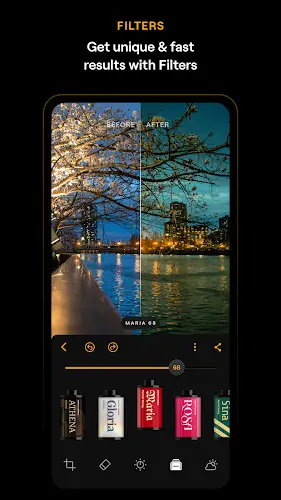

How many times have you captured a beautiful moment only to see it ruined by a gray sky backlight or unpolished skin In the past you would need a powerful computer and advanced Photoshop skills But with Luminar everything is now done in just a few taps right on your phone Let me show you how this app redefines the meaning of photo editing.
Contents
A visual revolution with exclusive AI power
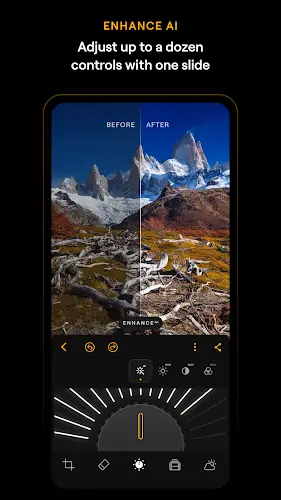
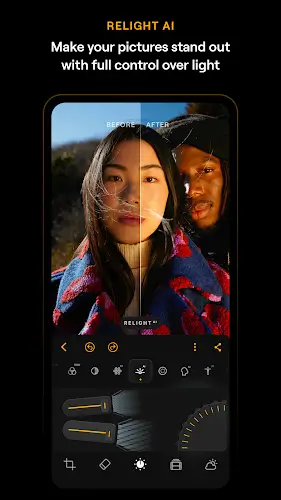
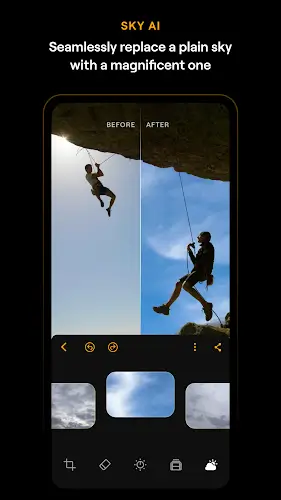
The moment you open a photo in Luminar Enhance AI becomes your first companion Instead of adjusting dozens of sliders the AI automatically analyzes and balances color tone and sharpness with impressive accuracy But the real wow factor is Sky AI Want a dramatic sunset or soft white clouds Just one tap and the sky is replaced so realistically that the lighting on your subject also adjusts to perfectly match the new environment. It does not stop there Relight AI allows you to control lighting in a three dimensional space You can brighten the face while keeping the background deep and smooth as if you had a professional lighting assistant standing next to you during the shoot.
Studio level portrait retouching that stays natural
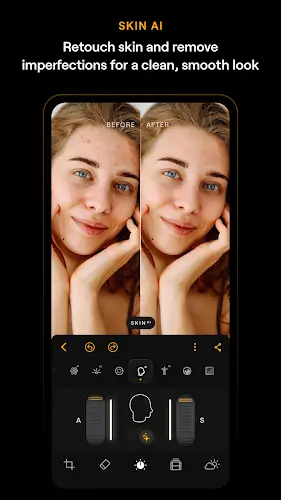
If you worry about over editing that makes faces look like wax Skin AI will remove that concern It is smart enough to smooth skin and remove imperfections while preserving pores and natural skin texture. To perfect the image Body AI helps subtly reshape body proportions without warping the background Even more impressive the new AI Clothes Iron feature automatically detects and smooths wrinkles in clothing helping you look as polished as if you just stepped out of a professional magazine photoshoot.
An all in one toolset for creative minds
Luminar is not just about AI it is also a professional digital darkroom If you are serious about photography the ability to edit RAW photos directly on Android will impress you From deep curve adjustments to using Object Removal AI to erase unwanted objects or reflections every tool feels as powerful as desktop software. To add a poetic touch to landscape photos AI Atmosphere lets you add three dimensional fog or sunlight rays creating depth that standard filters simply cannot achieve.
Smooth experience across Android and ChromeOS
Whether you are using a phone tablet or Chromebook Luminar adapts perfectly to every screen By fully utilizing modern AI processing chips NPU exporting 8K photos takes only moments You can start editing quickly on your phone while on the move and later fine tune details on a larger tablet screen thanks to seamless synchronization.
MOD APK version of Luminar
- Premium features unlocked.
Conclusion
In the end, the most valuable thing about Luminar is that it lets you focus on creativity instead of complex operations It turns dry algorithms into emotion within every frame Luminar AI does not replace your creativity it simply becomes the wings that help your ideas fly further transforming everyday photos into images full of depth and feeling.