
Auto Clicker – Automatic Clicker is an application that transforms boring repetitive screen actions into automated ones with millisecond precision. This app meets urgent needs for continuous interaction such as for gamers or deal hunters or simply those performing repetitive tasks. The greatest strength of Auto Clicker is the ability to free your hands and optimize operational performance on Android 7.0 and above without needing to ROOT the device. By setting up smart tap and swipe scripts, this application helps you maintain stability in work and entertainment without spending too much effort.
Contents
Multi-Touch Mode And Complex Action Combination Capabilities
Auto Clicker brings incredible flexibility through Multi-touch mode and Combined mode. The real benefit lies in your ability to set up a series of tap points in order of priority combined with swipe and long press commands to create a complex sequence of actions. Specifically, the Synchronous click feature allows you to act on multiple locations at the same time which is extremely effective in games requiring high reaction speeds. Even tough areas like Edge click at the top or bottom or left and right edges are handled smoothly by the app to ensure no position on the interface is missed.
Anti-Detection Technology And Smart Automation
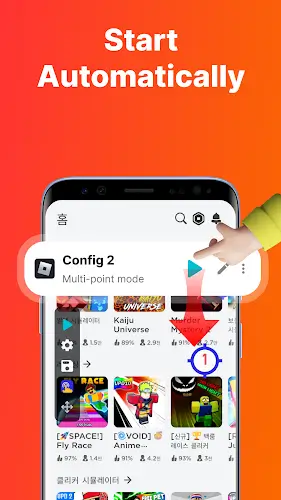
The appeal of Auto Clicker also comes from a user protection mindset through the Anti-detection feature. By randomizing the time and click position within a permitted range, the app minimizes the risk of being identified by game systems as using intervention software. The benefit of App self-start is also very clear as your configuration will automatically activate as soon as you open a pre-selected application to completely eliminate the need to set everything up from scratch. Combined with the Delayed start feature, you can feel completely secure letting the device work on a pre-set schedule without being physically present.
Professional Personalization And Configuration Management
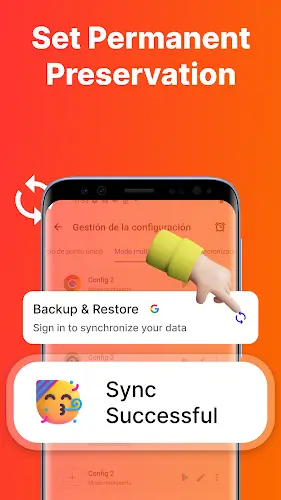
Despite possessing powerful technical features, Auto Clicker remains user-friendly thanks to its flexible interface customization. You can change the click point icons in many styles or adjust the transparency of the floating control panel so it does not obstruct your view of the screen. The benefit of importing and exporting configurations helps you easily store your favorite scripts or share them with friends in an instant. All app activities are based on the AccessibilityService API to ensure stability and safety while committing to not collecting personal data to provide absolute peace of mind for users during use.
Summary
Auto Clicker – Automatic Clicker is a testament to the perfect combination of convenience and modern automation technology. With a diverse customization system ranging from edge clicking to smart anti-detection, this is certainly an indispensable assistant for you to master every game and elevate operational performance on mobile devices.