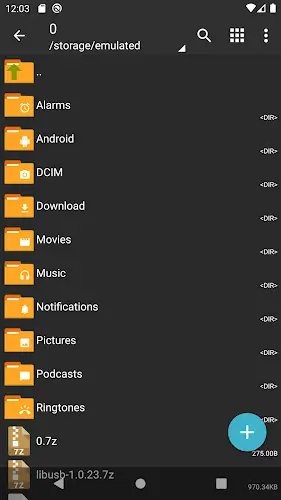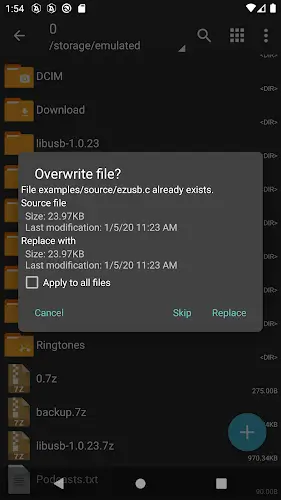

ZArchiver is an indispensable assistant for in-depth file management on your phone. It is not simply a decompression app but rather the most comprehensive compressed file management solution currently available on the Android platform. The excitement of the application comes from its ability to create, open, and edit almost all popular archive formats today with incredible processing speed. What makes millions of people trust ZArchiver is its completely offline operating mechanism which ensures absolute data privacy and security. Whether you use the standard version or the Pro/Donate version the app still provides a powerful set of tools to save storage space and backup data effectively turning operations that were once only possible on computers into simple tasks in the palm of your hand.
Contents
Massive Format Support and Professional File Compression
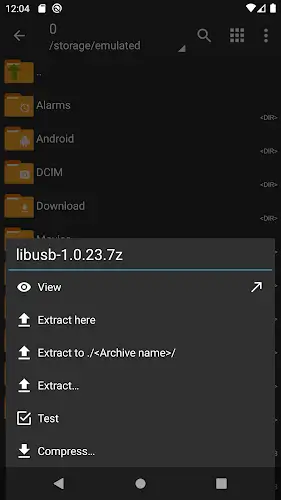
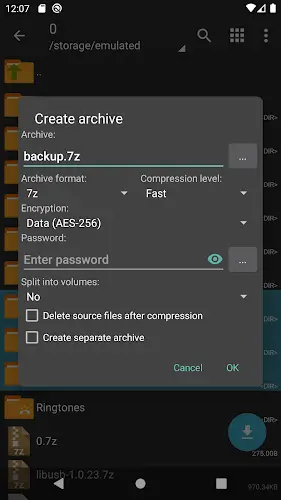
The core strength of ZArchiver lies in its extensive list of supported formats meeting every need from basic to advanced. You can easily create compressed files such as 7z (7zip), zip, tar, gz, bz2, XZ, or zst with many customizable compression levels to optimize capacity when sharing. Regarding decompression this application is nearly universal as it smoothly handles zip, rar, 7z and even complex formats like iso, cab, dmg, deb, and rpm. A very convenient experience is that you can view the content inside the archive directly without wasting time decompressing the whole thing which helps in checking data quickly and accurately.
Direct Editing and Optimal Security Inside Compressed Files
ZArchiver brings maximum flexibility by allowing you to intervene directly in the compressed file structure without performing the cumbersome process of decompressing and then re-compressing. You can add or delete files directly within the archive or perform a partial extract to get exactly the file you need. To protect sensitive data the password creation feature for compressed files works very effectively. Notably the application perfectly supports split archives such as .001, .z01, or part1.rar and ensures Unicode filenames in UTF-8 or UTF-16 never encounter font errors or strange characters.
Essential Tool for Gamers and Breakthrough CPU Performance
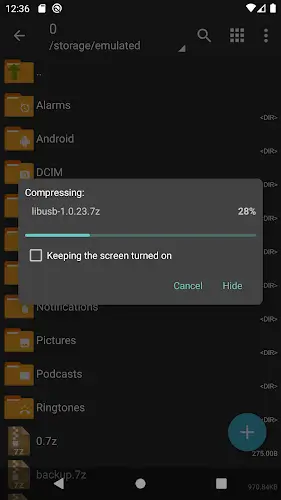
For those who enjoy tweaking games ZArchiver is a lifesaver as it supports direct installation of APK and OBB files from within the compressed file. Managing and backing up applications as compressed files makes storage more compact and organized. The processing power of the application is optimized thanks to multithreading technology taking full advantage of multi-core CPUs to push compression and decompression speeds to the highest level. The interface is simple and intuitive yet extremely stable on many devices helping save operation time and manage folders in the most scientific way.
MOD Pro Version Privileges and Professional Experience
Although the free version is more than enough if you choose the Pro or Donate version the experience becomes perfect as there are absolutely no advertisements. This version provides a clean workspace better password security and always receives the earliest feature updates. While there is a small limitation in that the interface is somewhat technical for beginners and does not integrate direct cloud storage this helps the application maintain its principles of speed and offline security. ZArchiver is truly the top choice for those who need in-depth and efficient file processing on mobile devices.
Summary
ZArchiver is the most powerful compression, decompression, and file management tool that every Android user should own. The combination of multi-core processing performance, comprehensive format support, and high security has created an application with no rivals in its segment. Whether you are a gamer needing to handle OBB files, a technician, or an office worker needing to compress documents to send, ZArchiver is always ready to provide the most professional tools for you to complete your work smoothly and safely.