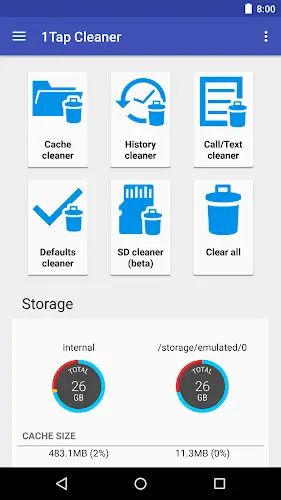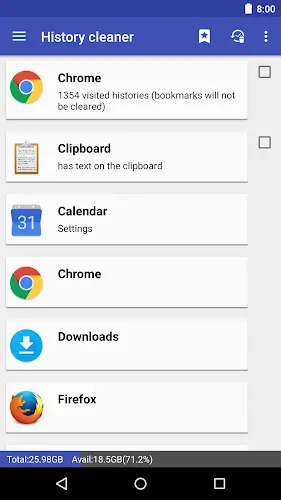

Throughout your phone usage you have likely encountered lag or annoying memory full notifications many times. That is why you should try 1Tap Cleaner which is a powerful cleaning app with surprisingly simple operations. The strength of this application lies in its ability to free up space and speed up your device with just a single touch. It is not just a temporary file deletion tool because 1Tap Cleaner is a comprehensive solution combining cache cleaning default app management and SD card optimization to keep your Android device light and stable without requiring deep technical knowledge.
Contents
In Depth Cache Cleaning and Instant RAM Release
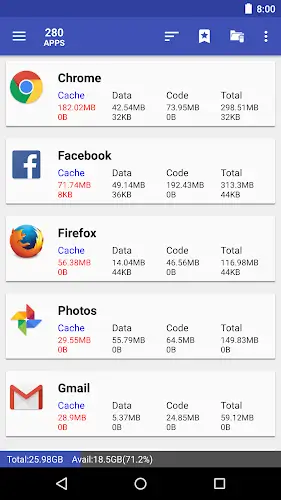
1Tap Cleaner has the ability to clear out redundant data that silently occupies your internal memory. With just one tap the entire cache of all applications will be cleaned immediately helping you reclaim gigabytes of free space for storing important photos or videos. The app cleans temporary files and excess data generated during use extremely quickly thereby reducing the load on RAM and internal storage. If you want more control you can completely choose to clean each specific application individually instead of deleting everything providing maximum flexibility in data management.
Default App Management and SD Card Junk Cleaner
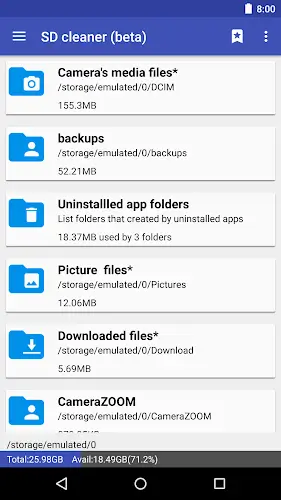
A very interesting experience that you will rarely see in other cleaning apps is the Default Cleaner feature. 1Tap Cleaner will display a list of apps currently set as default when opening links or viewing photos allowing you to delete or change these settings immediately to avoid system conflicts without accessing complex settings. Besides that the SD Cleaner feature will scan deep into the external memory card to remove junk folders or leftover data from long deleted applications. Keeping the external storage tidy not only increases available storage capacity but also significantly speeds up data access on the memory card.
Smart Analysis System and Convenient Warning Widgets
To help users control performance 1Tap Cleaner automatically sorts the application list by cache size data size or total size helping you easily identify the apps consuming the most memory. You will enjoy using the Widget and smart notification system on the home screen which directly displays the current cache size and warns you as soon as this number exceeds the allowed limit. This helps you always stay proactive in cleaning before the device hangs or runs out of memory. Notably the app also supports Accessibility permissions to automate the cleaning process making all system tasks quick and convenient for those who are not tech savvy.
Breakthrough Performance and Tips for Optimal Experience
Although it works very effectively 1Tap Cleaner is extremely light fast and absolutely does not cause battery drain or interfere deeply to cause system errors. To achieve the best results you should grant advanced access permissions so the app can manage data comprehensively. A small note is to install the application on internal memory for the Widget feature to work most stably and remember that cache will be recreated when you use apps so periodic cleaning is the key to keeping the device smooth. This is truly the top choice for those who value efficiency and simplicity in maintaining the long term performance of their phone.
Conclusion
1Tap Cleaner is not just a junk removal tool but a powerful assistant helping you fully master your phone memory. The combination of high speed one tap operation detailed analysis of each application and a smart automation system helps your device stay light smooth and stable. Instead of wasting time tinkering with settings just a light touch allows you to enjoy the smoothest web browsing and gaming experience.