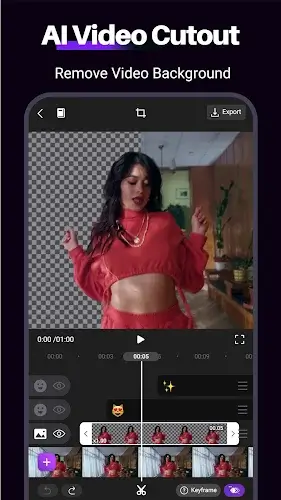

Motion Ninja is a miniature After Effects dedicated to the Android operating system. This application conquers users by its ability to bring professional editing experiences previously exclusive to computers onto an extremely flexible mobile interface. With a powerful Keyframe Animation system plus superior VFX processing and professional Chroma Key green screen tools Motion Ninja allows anyone to create cinematic footage sharp up to 4K. It is the comprehensive solution for you to showcase elite editing skills and transform the boldest ideas into vivid visual masterpieces without being limited by hardware.
Contents
Keyframe Power and Multi-Layer Animation System
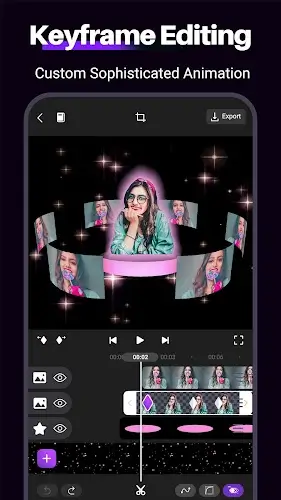
The core strength of Motion Ninja lies in its ability to control movement and effects plus opacity in detail frame by frame. Not stopping at just placing points the application also supports custom Motion Curves and Graphs helping movements become smooth and natural while carrying a strong artistic touch. The flexible Multi-layer editing system allows you to simultaneously combine video and images or text within a single complex project. This is accompanied by a Mask toolkit including Linear and Radial or Star shapes combined with a Feather feature to help blend image layers perfectly and professionally like blockbuster movies.
The Peak of Slow Motion and Optical Flow Velocity Effects
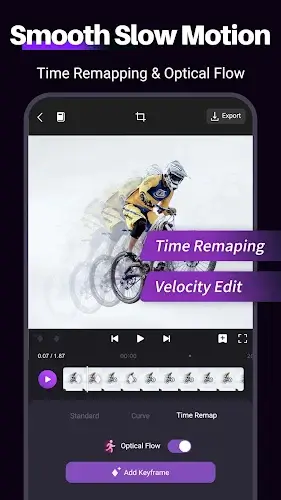
Motion Ninja elevates the Slow Motion experience using Optical Flow technology which automatically optimizes slow-motion scenes to achieve the highest realism while completely eliminating the common lag found on mobile. The Velocity Editor and Time Remap tools allow users to master time and easily create dramatic speed ramps or highlight the most important moments in a video. This is a golden feature that helps AMV videos or fan edits become captivating and carry a bold personal mark.
Massive VFX Library and Magical 3D Graphics
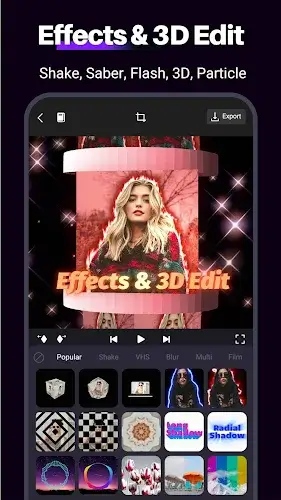
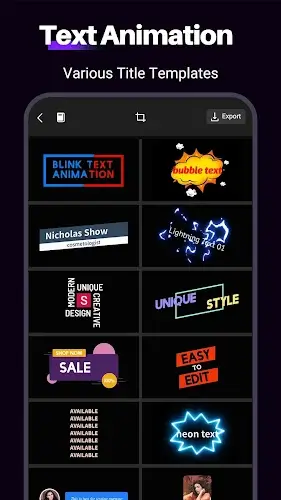
The application owns a treasure trove of over 100 top-notch visual effects from Motion Blur and Glow or Particle to the magical Sky Replacement capability. Professional 3D transitions such as Glitch and Shake or Morph along with a rich Transition library are meticulously designed to help connect scenes in the smoothest way. You can also create highlights with vivid 3D titles or customize fonts flexibly for Intros and Outros and even transform static photos into Animated Photos with just a few simple steps.
Cinematic Post-Production Tools and In-Depth Audio Processing
Besides special effects Motion Ninja is equipped with professional color filters featuring HSL and Curves parameters allowing deep intervention in brightness and contrast plus saturation. The Chroma Key feature helps you easily replace backgrounds to create impressive fantasy spaces. In particular the Audio Sync capability according to the music beat along with markers and audio remixing features will ensure every visual movement matches the melody perfectly making it extremely suitable for creating content on TikTok or Reels.
Sharp Publishing and Optimized Rendering Performance
All your creative efforts will be fully preserved with the ability to export high-quality video from HD and 1080p to 4K. The Render process is optimized to maintain absolute sharpness while ensuring appropriate file sizes for each social media platform. Motion Ninja is not just a cutting app because it is a mini studio that helps you manage unlimited projects and ensures a smooth video playback experience plus the best compatibility with every mobile device today.
Conclusion
Motion Ninja is the perfect intersection between the in-depth power of desktop software and the convenience of handheld devices. With a diverse set of Keyframe and VFX tools this application removes all technical barriers and turns every user into a true director. If you are looking for a weapon to elevate your editing style and shine on social media platforms Motion Ninja is the irreplaceable choice to unleash your full creative potential.