
VMOS PRO is an application that can satisfy the need to separate work from personal life as well as data security requirements which are becoming more urgent than ever. It allows users to initialize a virtual Android environment running in parallel right on the real operating system. This application has the ability to turn a single smartphone into two independent devices possessing separate storage spaces and setting systems. With VMOS PRO you can easily run multiple game accounts test risky applications in an isolated environment or optimize multitasking with floating windows. It is the ultimate security box that helps protect original data from malware and spyware providing absolute flexibility for users who need high performance without carrying two phones.
Contents
Independent Dual System and Absolute Security Power
VMOS PRO has the ability to operate a completely separate virtual Android system that does not share data with the original system. This means that applications running inside the virtual machine will not be able to access contacts messages or personal photos on the real phone creating an extremely solid privacy protection shield. The application acts as a safe sandbox environment allowing you to hide sensitive information such as GPS location and identification data. This is an ideal place to install and test strange or potentially risky applications without fear of malicious code penetrating the main operating system. All activities inside the virtual machine are strictly guarded by modern biometric security methods such as fingerprints face or iris scanning.
Supreme Multitasking with Floating Windows and Multiple Accounts
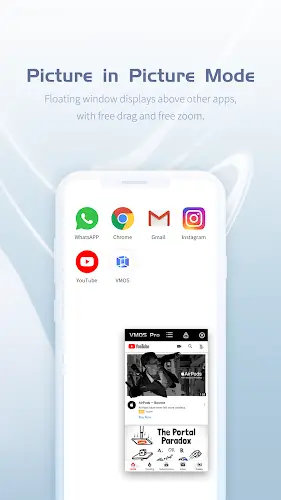
VMOS PRO elevates the user experience to a new level through the ability to run multiple social media and game accounts simultaneously. You can be online on two Messenger accounts at once or hang multiple game accounts on the same screen thanks to the flexible floating window feature. The quick one-touch switching mechanism helps you rotate between work and entertainment environments without any delay or having to restart the device. In particular VMOS PRO is also a lifesaver for old applications that are no longer compatible with the current Android version on your device allowing you to install and operate them smoothly in a customized virtualized environment.
Excellent Performance and the Art of Resource Management
In terms of operation VMOS PRO shows wide compatibility with most current Android models providing a responsive feel on devices with medium-high hardware configurations or better. However because this involves running two operating systems in parallel the application will consume a certain amount of RAM and CPU resources. For the best experience users need to manage resources reasonably especially on low-configuration models to avoid lagging or overheating during long-term use. The ability to customize virtual ROMs is also a major plus for power users who want to set up virtual machine configurations suitable for specific technical testing purposes.
Outstanding Advantages and Flexibility in Use
Using VMOS PRO brings clear economic benefits by helping users replace the need to own and carry multiple bulky hardware devices. It completely resolves the need to separate personal and professional environments helping you manage your digital life more scientifically and safely. Whether your goal is to enhance security optimize work or simply enjoy the feeling of grinding multiple game accounts at once VMOS PRO remains a reliable companion.
Summary
VMOS PRO is not just a mere emulator application but a revolution in how we use smartphones. By combining top-tier virtualization technology with strict security features the application has broken all limits of a single operating system. The ultimate goal is to provide absolute control to users helping you work effectively while enjoying unlimited entertainment while still ensuring data safety at the highest level.