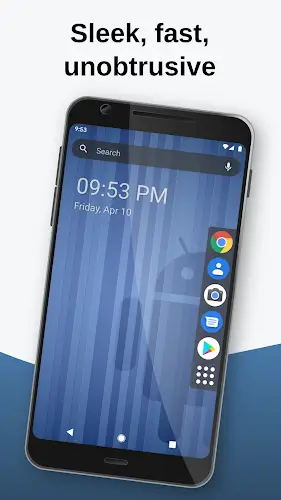

If you are tired of cluttered Android interfaces filled with unnecessary effects and hidden ads, then Lynx Launcher is the perfect remedy to transform your phone completely. Millions of people have experienced it to simplify their digital lives, so we want to share with you why Lynx has become the top choice for those who love elegance and productivity.
Contents
Smooth GNOME Linux Experience on Your Phone
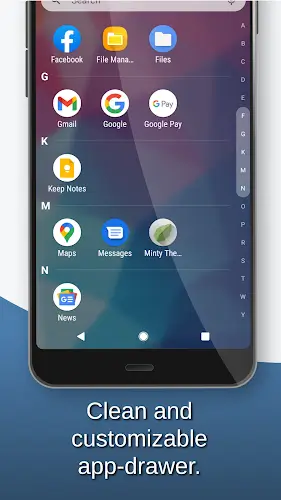
The first thing that will win you over is the design philosophy inspired by the GNOME environment on Linux. It is incredibly clean, distraction-free, and focuses entirely on your work. This application helps you clear out all the clutter by keeping only the core features. You will especially love the ability to hide “bloatware” system apps that cannot be uninstalled. This makes your app list neater and more professional than ever.
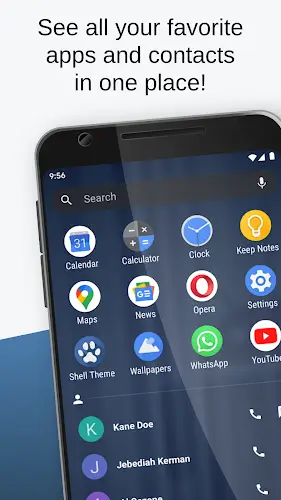
Instead of clicking multiple times, Lynx allows you to access everything with just a single swipe. This navigation system is extremely intelligent, helping you switch between apps, the desktop, and search with incredible speed. You can place your frequent contacts and most-used apps on the Favorites screen. With just a light tap, everything appears instantly. Customizable gestures to open shortcuts or settings are also very easy to set up, making one-handed phone use feel completely natural.
Deep Customization Despite a Minimalist Label
Do not let its simple appearance fool you because Lynx Launcher allows you to intervene deeply in the interface. You can completely change the desktop grid, font sizes, and even the dock position to suit your handling habits. It perfectly supports icon packs from Google Play and adaptive icons. You can turn the search bar or notification dots on or off according to your needs to keep your screen as clean as possible.
Universal Search and Integrated Utilities
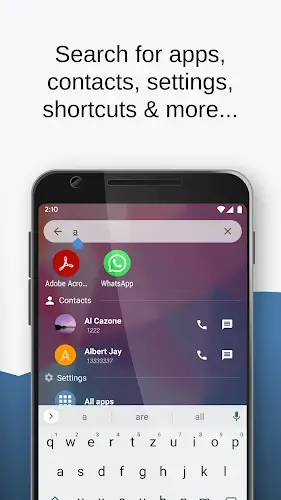
You will almost never need to open the app menu again because the Lynx search bar is so powerful. It finds everything from contacts and applications to deep tweaks within the settings. The most interesting part is the built-in quick calculator and optional online search tools. When you need to calculate a number quickly or look up information on the web, you just need to type right from the home screen without opening any other apps.
Peak Performance and Resource Efficiency
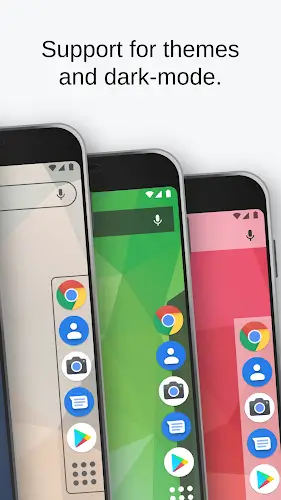
A huge plus is that Lynx Launcher runs extremely light. Even if your phone has hundreds of apps installed or does not have high-end specs, it still responds instantly without any lag. The app’s Dark Mode is also very well-crafted, allowing you to customize it for specific interface parts or follow the system theme. This is truly a launcher aimed at sustainability and long-term efficiency for users.
Conclusion
Lynx Launcher is not just a replacement interface. It represents a new mindset regarding efficient smartphone usage. If you want to focus more on life and work instead of being sucked into your screen, give it a try today.