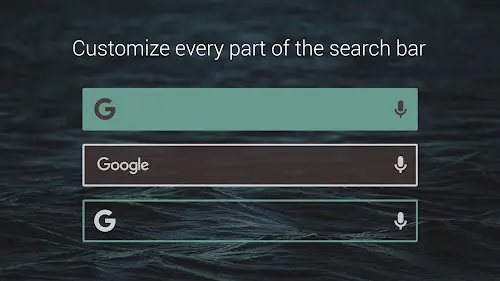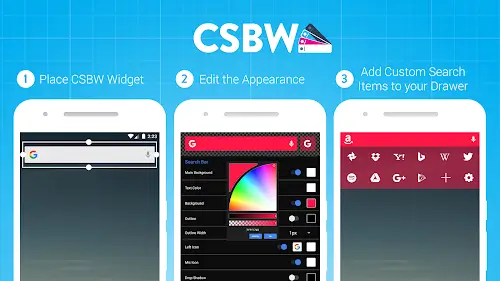

Custom Search Bar Widget CSBW is an indispensable tool if you want to transform the monotonous default search bar into a piece of art on your home screen. You will be truly impressed with the comprehensive appearance customization options, ranging from colors, fonts, and corner rounding to the size and transparency of the widget. This application allows you to perfectly synchronize the search bar interface with any theme or launcher you are currently using, creating a unified aesthetic. For those who do not want to spend time on manual edits, you can quickly apply available layouts or save and reload personal presets and themes for instant reuse in a heartbeat.
Contents
Controlling Multi Platform Search Power and the Icon Drawer System
The outstanding advantage that CSBW brings lies in the ability to flexibly switch between countless popular search tools such as Google, Bing, DuckDuckGo, Wikipedia, Amazon, and even Spotify. You are no longer limited to a single platform as you can add any custom search engine or application via URL using the %s variable support. The icon drawer system is also heavily personalized, allowing you to add, delete, arrange, and edit icons as you wish, even intervening in the detailed size, position, and alignment of each icon within the drawer. This makes accessing different data sources more intuitive and faster than ever before.
Optimizing Speed and Smart Search Performance
Using CSBW, you will feel a distinct sense of convenience as the application supports direct searching within installed apps on your device instead of just performing regular web searches. As soon as you start typing, the smart keyword suggestion system appears to help you find information more accurately and quickly. Essential functions such as copy, paste, share, and services like Google Web Search and Google Voice Search (Google Now) are all integrated right on the widget bar for immediate action. In particular, you have the right to hide or show every small component like the logo, microphone, or shortcut icons to keep your home screen minimal and tidy exactly to your liking.
Elevating the Interface with Pro Features and Sustainable Backup
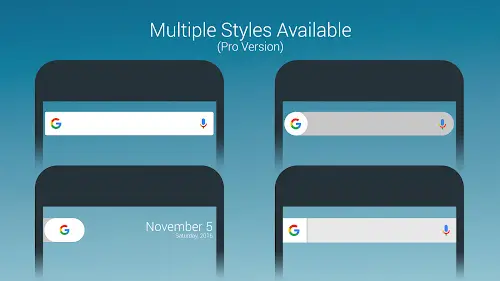
If you upgrade to the Pro version, you will possess exclusive features such as customizing the search bar in the trendy Pixel style, which includes displaying both the date and day directly on the widget. The Pro feature also allows you to add the icon drawer directly to the widget on your home screen, shortening every access step. To ensure that all your design efforts are never lost, CSBW provides a very useful widget configuration save and restore feature when you change launchers or reset your home screen. All your settings will always be preserved, helping to maintain a stable and long term personalized experience without the need for manual reconfiguration from scratch.
Conclusion
Custom Search Bar Widget CSBW is not merely a search tool but a powerful customization system that helps you fully master the interface and functionality of your Android screen. With the combination of flexible design capabilities, a multi platform search system, and smart configuration storage technology, this application brings practical benefits to both beauty enthusiasts and those who prioritize productivity. This is certainly a worthy investment for you to start creating a modern, convenient, and deeply personal digital space today.