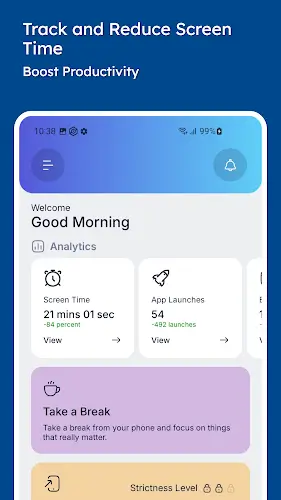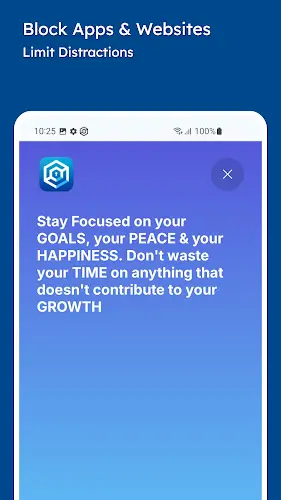

In the digital era filled with temptations from social media and notifications, you may have fallen into the trap of mindless scrolling, which severely impacts your work performance. Stay Focused is a lifeline that helps block distracting apps and websites to enhance your concentration. This is an all in one application combining content blocking, keyword filtering, and highly effective digital habit management. Thanks to this rigorous support, you will significantly reduce screen time and save many precious hours each day for more important goals.
Contents
Intelligent Content Blocking and Creating a Quiet Space
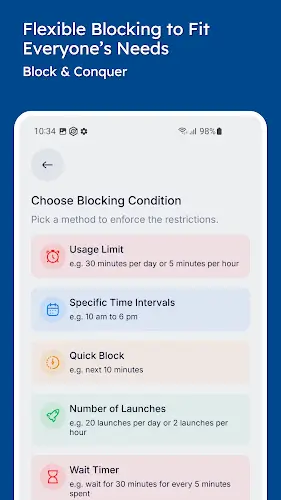
You will be impressed by the flexible blocking capabilities that do not stop at social media or games but also allow you to block unwanted websites and keywords. The app strongly supports the protection of your digital wellbeing by blocking adult content, harmful material, and addictive feeds that are enemies of focus. By minimizing unnecessary notifications, Stay Focused creates an absolutely quiet space for studying and working, encouraging you to use your phone more consciously and effectively instead of letting the device control your behavior.
Detailed Tracking and Identifying Bad Habits through the Tracker System
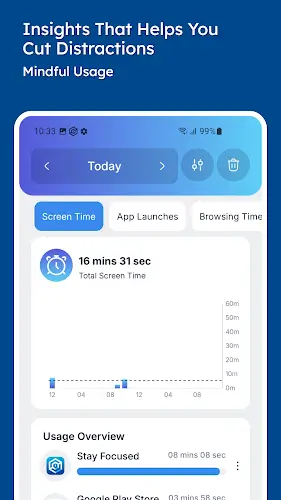
Instead of just passive blocking, Stay Focused provides you with deep insight into your own habits through a screen time tracker and an app usage tracker. You can monitor the detailed usage time of each application and website as well as the frequency of phone unlocks every day through intuitive charts. This data helps you clearly identify bad habits and know exactly where you are wasting time so you can proactively adjust your behavior. Understanding device usage data is the first and most crucial step in helping you regain control over your time in modern life.
Flexible Limit Settings and Steel Discipline Strict Mode
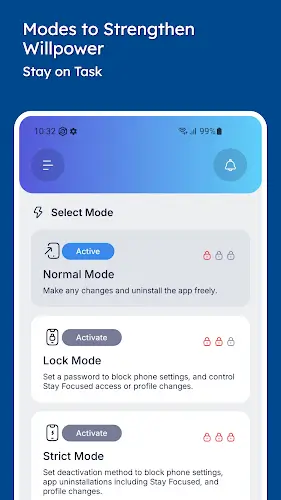
Millions of users have appreciated the ability to set flexible blocking schedules, allowing specific usage limits according to study hours, work hours, or family time. For those whose willpower is not yet strong enough, Strict Mode is a vital feature that completely prevents bypassing established limits. Combined with deep focus modes such as off time, lock mode, and advanced control tools, Stay Focused ensures that once a focus session begins, you will have no way to break the discipline you set for yourself.
Optimized Interface and a Comprehensive Solution for Everyone
Stay Focused possesses an intuitive, easy to use interface and supports dark mode to protect your eyes, providing an incredibly smooth experience. This app is not only for individuals wanting to boost productivity or students needing to study for exams but also a great tool for parents to manage their children’s device time. To ensure all functions operate correctly, the app will require certain necessary system permissions and always has a dedicated support team when users encounter errors or need to provide feedback. Overall, this is a comprehensive solution combining distraction blocking, content filtering, and time management, helping to improve self control and bring perfect balance to anyone’s life.
Conclusion
Stay Focused is not just an app blocking tool but a true companion that helps you redefine your relationship with technology. Reclaiming precious hours previously lost to social media “black holes” has given you more time for personal hobbies and loved ones. When self control is enhanced, work productivity grows exponentially, bringing balance and peace of mind amidst the noisy digital world.