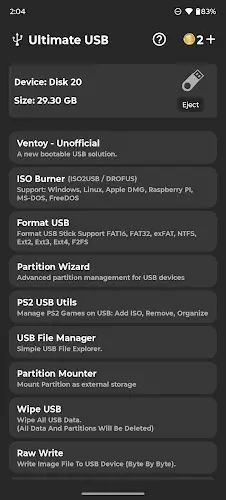

Ultimate USB is a comprehensive computer rescue solution that transforms your Android phone into a professional USB management station without the need for a PC. If you are a busy IT technician or a systems student or simply someone who frequently reinstalls operating systems the greatest benefit this app provides is the ability to create bootable USBs for Windows or Linux installations directly via an OTG port. With an intuitive interface and clearly divided feature tabs Ultimate USB perfectly replaces familiar desktop software like Rufus or Ventoy allowing you to handle any computer issue anywhere and anytime with just a phone in your pocket.
Contents
Creating Bootable USBs And Flashing Operating Systems Rapidly Via ISO2USB
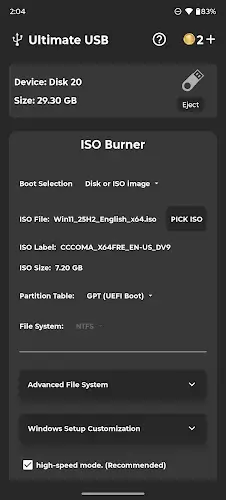
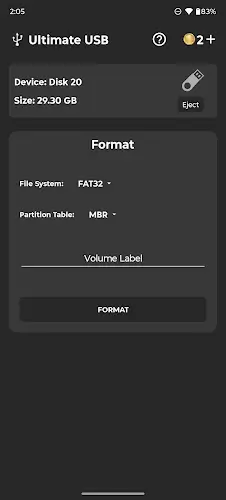
The core power of Ultimate USB lies in its extremely powerful and deeply compatible operating system flashing toolkit. You can easily convert ISO or DMG or raw disk image files to a USB to create Windows or Linux installers with just a few simple steps. The operating mechanism is similar to Rufus on a computer which helps the preparation process happen quickly while fully supporting formats from FAT32 and exFAT to NTFS and EXT4. Once the flashing process via OTG connection is complete you only need to plug the USB into a computer to start the installation without facing any technical barriers even on devices that do not require root access.
In Depth Multi Boot Management With Ventoy Unofficial
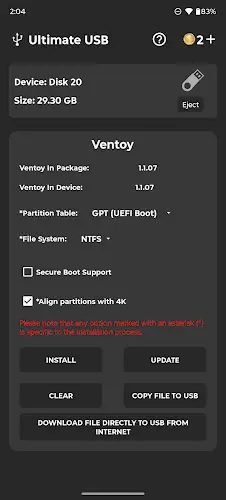
A huge plus for technicians is the Ventoy Unofficial feature integrated directly into the app. This feature allows you to store multiple different ISO files simultaneously on a single USB to choose your desired operating system during boot. The standout benefit here is that you can flexibly add or delete ISO files without having to reformat the entire USB making the management of Linux distributions or Windows versions more convenient and professional than ever.
Professional Partitioning And Data Management Tools
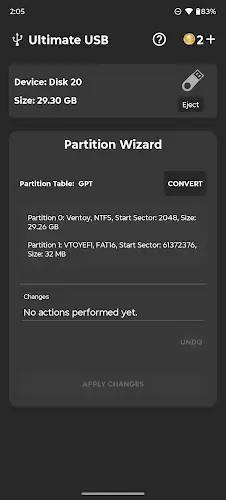
Ultimate USB is not just a flashing tool but also an in-depth disk manager. The application provides USB partitioning features similar to those on a computer allowing you to create multiple storage areas or set up complex multi-boot modes. Before proceeding with the boot flashing you have full rights to browse and check and edit files as well as folders directly on the USB. To ensure data safety the Wipe USB and Backup features will help you clean the drive thoroughly or store important files to your phone memory before formatting to avoid any risk of information loss.
Special Utilities For PS2 Gamers And OPL Game Management
For classic gaming enthusiasts Ultimate USB integrates the PS2 USB Utils toolkit which is extremely useful for managing PlayStation 2 games. You can easily rename and reorganize game lists and especially use the game file defragment feature. This optimization significantly improves performance when running games through OPL or Open PS2 Loader to ensure the smoothest gaming experience. The ability to convert game file formats right on your phone helps you prepare your favorite game library without touching a computer.
Feature Unlocking System And Compatibility
To maintain premium tools Ultimate USB uses a coin system unlocking mechanism where you can receive coins by watching advertisements or purchasing directly in the app. However the free version still provides all essential needs such as file browsing and USB formatting. The application operates stably on most Android devices where basic features do not require root access providing maximum flexibility for users in any emergency rescue situation.
Summary
Ultimate USB is a testament to how a mobile app can perfectly replace complex desktop tools in system management. With the combination of versatile bootable USB creation and multi-ISO management and dedicated utilities for PS2 games this is an indispensable weapon in the toolkit of anyone working in the technology field in the future.